League Applications 2026-27 Guidance
NCYFL Guidance for Clubs – Team Registration 2026-27
Team registration for 2026-27 will open on Thursday 2nd April 2026 on Refsec.
The link for Refsec is ncyfl.refsec.app NOT ncyfl.refsec.org
The FA Club Portal will open for 2026-27 team registrations on 1st June 2026 and is completed by the Club Secretary.
Constitution Requests can be completed by clicking here, and will close on 30th June 2026.
Teams not continuing should be reported to the League Secretary by 31st March each season.
To access the Team data for 2026-27, log into Refsec with a Club Officer role.
Go to Club > Teams > then change the dropdown to 2026/27 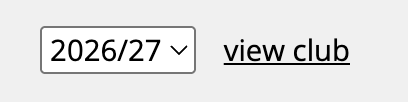
A reminder as per the proposed rule changes for 2026-27.
· Each team must have two coaches listed.
· Each coach must hold a valid FA DBS Check and in-date Safeguarding Children qualification.
· One coach per team must hold a minimum of the Introduction to Coaching Football Qualification (formerly the Level 1 course). Playmaker is not sufficient.
· One coach per team must hold a minimum of The FA’s Introduction to First Aid in Football qualification which is in-date.
· A coach cannot be named for more than one team per playing day.
Refsec highlights non compliance to us, failing to comply puts your Club Accreditation at risk and the League Accreditation. Clubs that do not comply with being an England Football Accredited club risk their membership to the league.
Coaches who are non-compliant are not permitted on the coaches side of the pitch (ie. No DBS or Safeguarding).
All coaches should be registered on Refsec with a passport style photograph, added their FAN, added to the relevant team, and also added to Club Portal and assigned to the relevant team.
Qualification and Compliance data will not be available until the team are created on Club Portal, coaches allocated and team assigned to Norfolk Combined Youth Football League.
Please ensure the parameters are set as follows:
Team Name: If you are entering multiple teams, use a suffix after. Eg. Hawks or Hornets
-
Do not include your club name, or age group in this field.
Type of Football: Football
Age Group: Age group which the team will play
Impairment: Non Disability
Format: U8-U9 – 5v5, U10-U11 – 7v7, U12-U13 – 9v9, U14+ - 11v11
Day: U7-U10 – Saturday, U11+ - Sunday
Gender: Mixed – do not select Male
Futsal: No
Please ensure the parameters are set as follows:
Age Group: Select the team’s natural age group from the dropdown
Flair: If you are entering multiple teams, use a suffix after. Eg. Hawks or Hornets
-
Do not include your club name, or age group in this field.
Once the team is created, ensure the Future Fit Age Group is set to Default and you have Saved.
Please ensure the parameters are set as follows:
The team name must start with (U7).
If you are entering multiple teams, use a suffix after. Eg. (U7) Hawks and (U7) Hornets
Do not include your club name in this field.
Please ensure the parameters are set as follows:
If you are entering multiple teams, use a suffix after. Eg. (U7) Hawks and (U7) Hornets
Do not include your club name in this field.
Once the team is created, ensure the Future Fit Age Group is set to Boys/Mixed Playing Up A Year and you have Saved.
When you create the team on Club Portal:
Please ensure the parameters are set as follows:
The team name must start with (U8).
If you are entering multiple teams, use a suffix after. Eg. (U8) Hawks and (U8) Hornets
Do not include your club name in this field.
The team name must start with (U9).
If you are entering multiple teams, use a suffix after. Eg. (U9) Hawks and (U9) Hornets
Do not include your club name in this field.
The team name must start with (U10).
If you are entering multiple teams, use a suffix after. Eg. (U10) Hawks and (U10) Hornets
Do not include your club name in this field.
The team name must start with (U11).
If you are entering multiple teams, use a suffix after. Eg. (U11) Hawks and (U11) Hornets
Do not include your club name in this field.
The team name must start with (U12).
If you are entering multiple teams, use a suffix after. Eg. (U12) Hawks and (U12) Hornets
Do not include your club name in this field.
The team name must start with (U13).
If you are entering multiple teams, use a suffix after. Eg. (U13) Hawks and (U13) Hornets
Do not include your club name in this field.
The team name must start with (U14).
If you are entering multiple teams, use a suffix after. Eg. (U14) Hawks and (U14) Hornets
Do not include your club name in this field.
The team name must start with (U15).
If you are entering multiple teams, use a suffix after. Eg. (U15) Hawks and (U15) Hornets
Do not include your club name in this field.
If they team have played in NCYFL last season, withdraw the team and re-create them using the steps below.
Please ensure the parameters are set as follows:
Age Group: The age group they wish to play at.
Flair: (U8) (U9) (U10) (U11) (U12) (U13) (U14) (U15) (U16)
Depending on which age group the team naturally are.
If you are entering multiple teams, use a suffix after. Eg. (U8) Hawks and (U8) Hornets
Do not include your club name in this field.
Once the team is created, ensure the Future Fit Age Group is set to Boys/Mixed Playing Up A Year and you have Saved.
Please ensure the parameters are set as follows:
The team name should be the teams natural age group, ie. (U15) but are going to play down at U14.
The age group should be the teams natural age group, ie. U14.
The gender must be set to Female.
Please ensure the parameters are set as follows:
Age Group: The age group they wish to play at.
Flair: (U8) (U9) (U10) (U11) (U12) (U13) (U14) (U15) (U16)
Depending on which age group the team naturally are.
If you are entering multiple teams, use a suffix after. Eg. (U8) Hawks and (U8) Hornets
Do not include your club name in this field.
Once the team is created, ensure the Future Fit Age Group is set to Boys/Mixed Playing Up A Year and you have Saved.
If a team is not continuing, press the Withdraw team option.